

Accessing Time Settings
You can access time settings from the Model Settings panel in the top-right of the model detail page.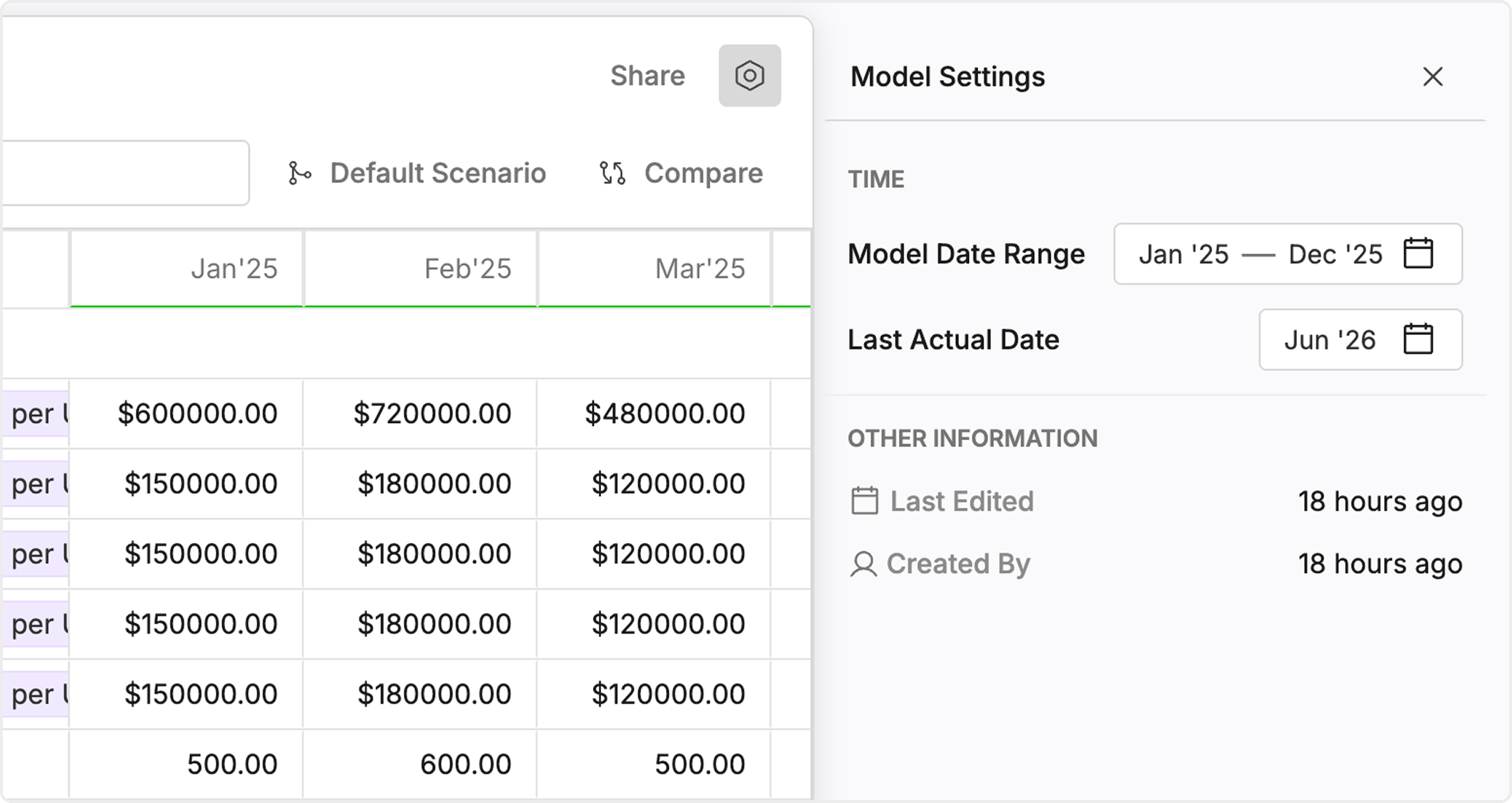
Date Range
The Model Date Range defines the start and end of your model timeline.- Sets the overall time horizon for planning and analysis
- Applies across all variables, charts, and reports
Last Actual Date
The Last Actual Date determines where actuals end and forecasts begin.- Separates historical data from projected values
- Ensures reports correctly distinguish actual vs forecast
Time Filter in Formulas
Time can also be controlled directly within formulas using the time filter.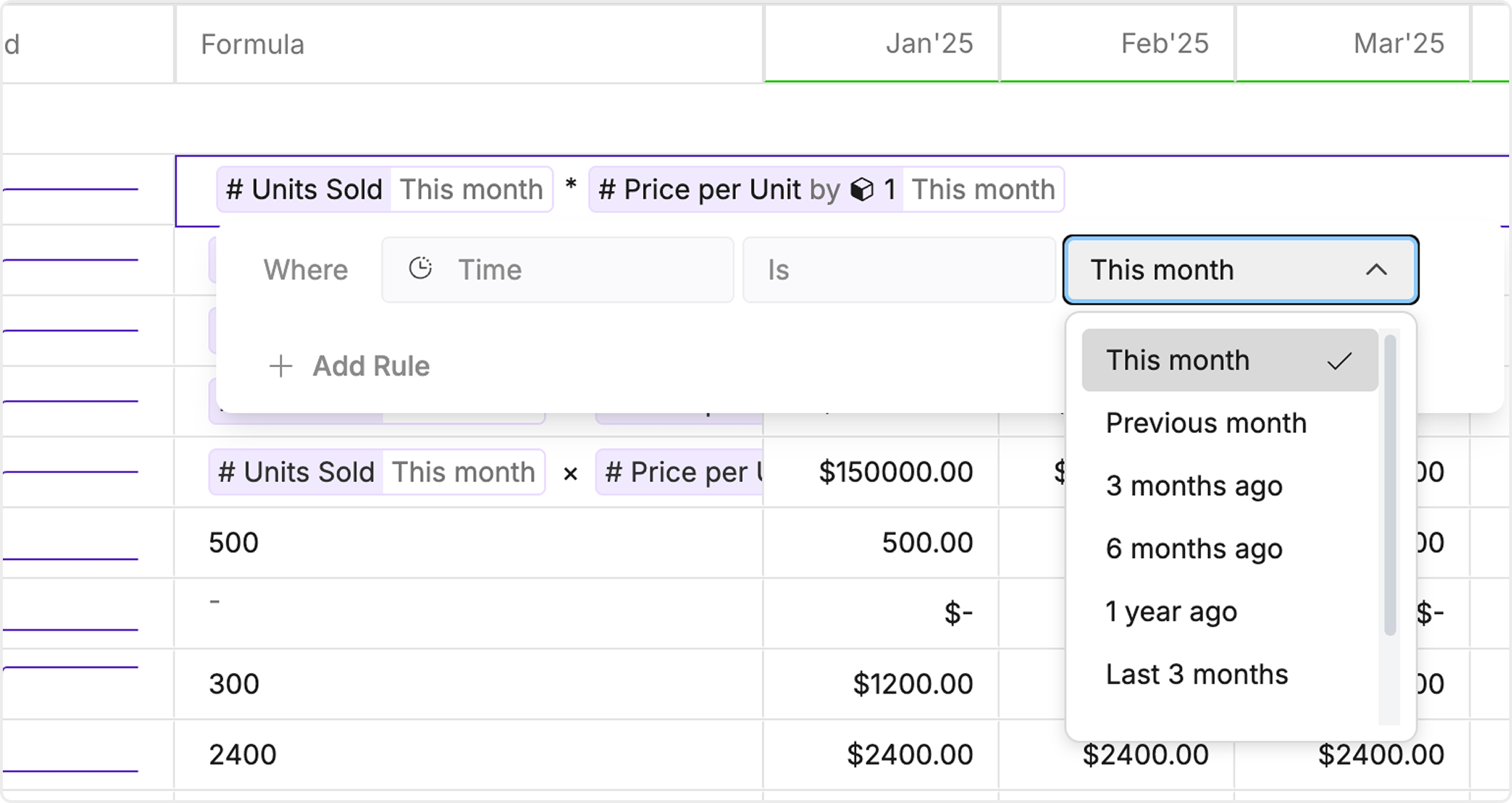
- Click on a formula
- Open the filter modal
- Select predefined ranges such as:
- This month
- Previous month
- Last 3 months
- 1 year ago
Best Practices
- Set a clear date range before building your model
- Keep last actual date updated for accurate forecasting
- Use monthly granularity for most financial models
- Apply time filters in formulas for flexible analysis