

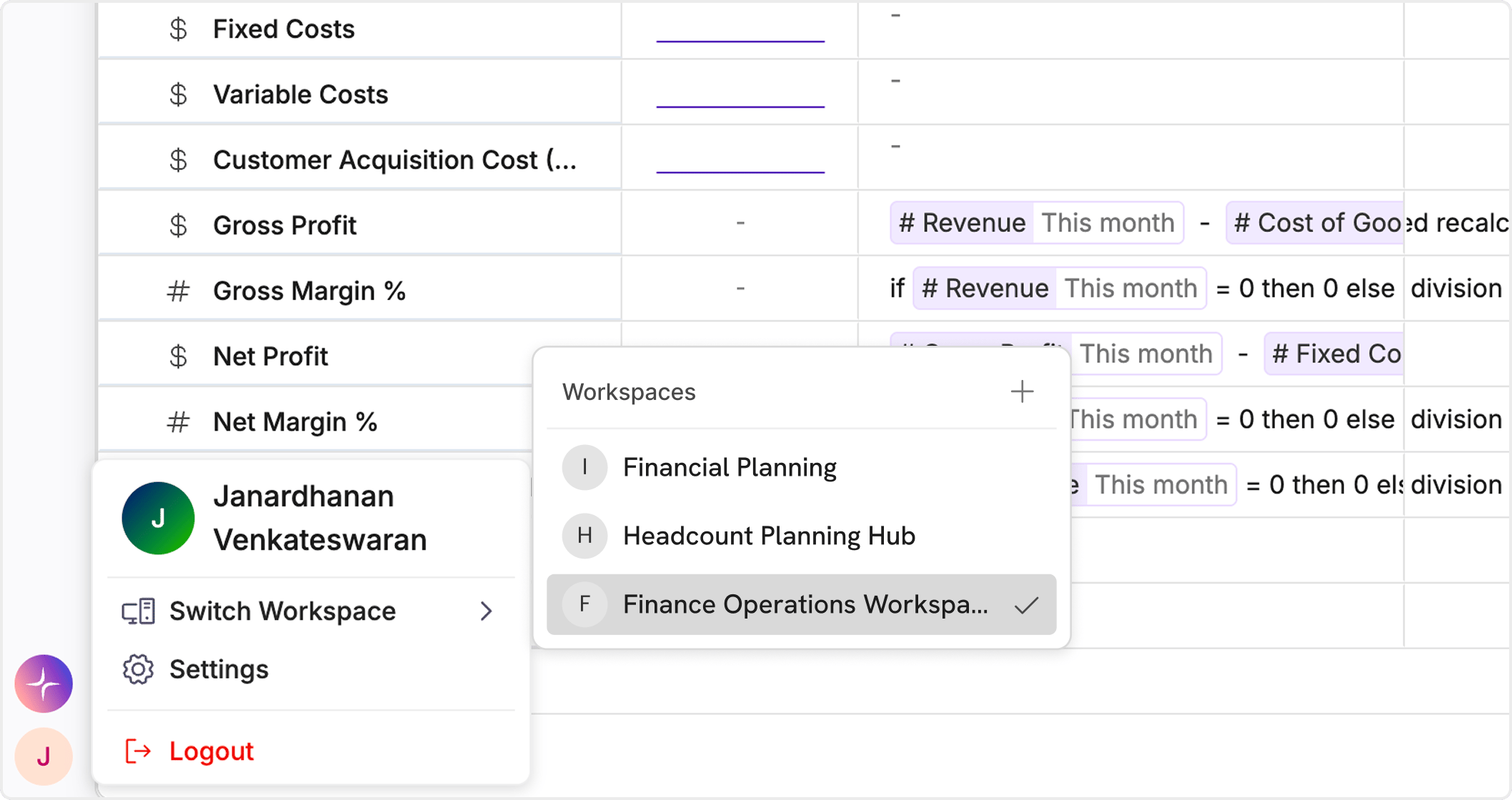
Switching & Managing Workspaces
You can access all your workspaces from the profile menu:- Click on your profile icon (top-left)
- Select Switch Workspace
- Choose from the list of available workspaces
- Create a new workspace
- Join an existing workspace
Workspace Types
Workspaces can be configured based on how users join:-
Public
Anyone can request or join the workspace without an invite -
Private
Only users invited by an admin can join
Workspace Settings
Workspace admins can manage settings from: Settings → General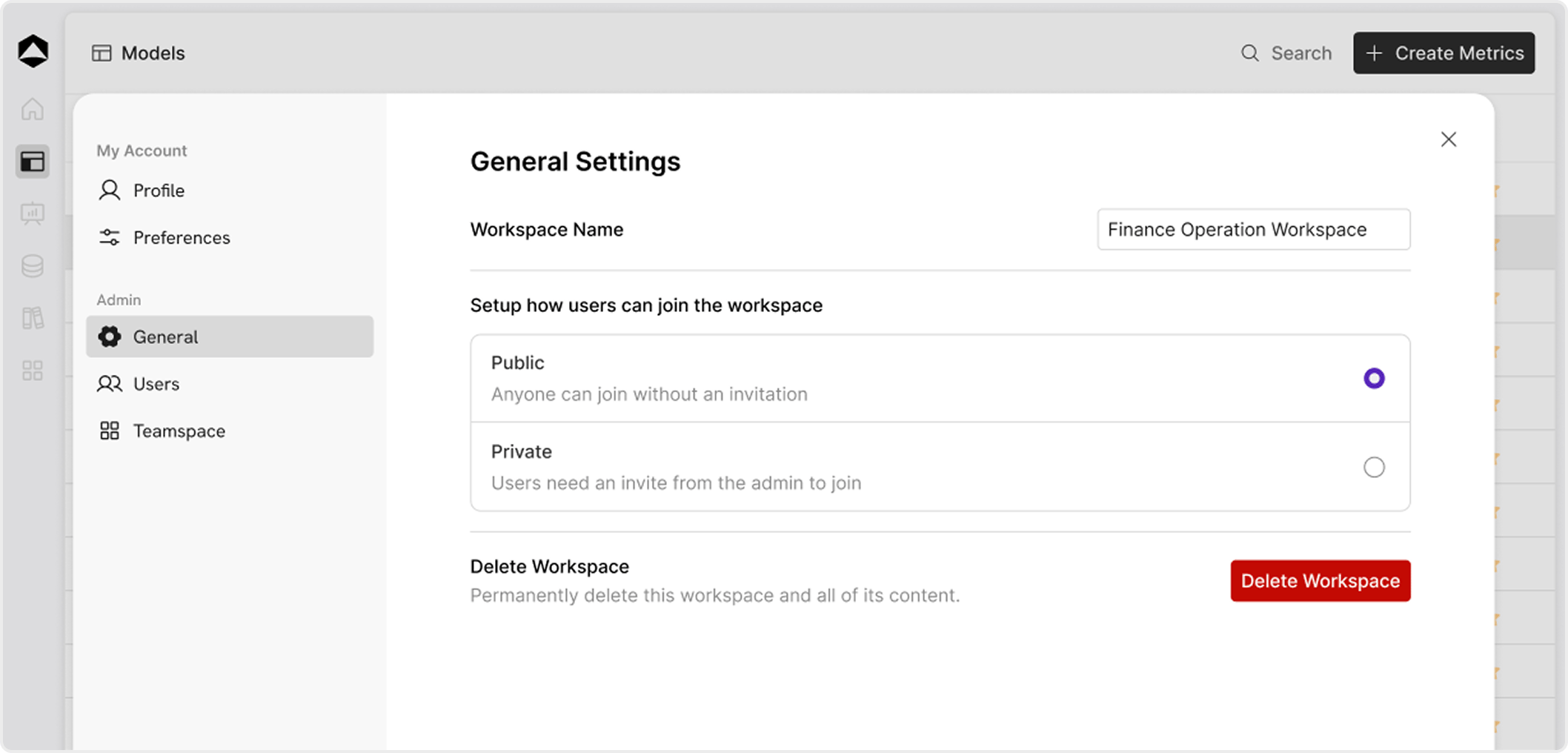
What you can manage
-
Workspace Name
Update the name of your workspace -
Access Type (Public / Private)
Control how users join the workspace -
Delete Workspace
Permanently delete the workspace and all its content
Best Practices
- Use separate workspaces for different teams or environments
- Keep sensitive workspaces private
- Use public workspaces for open collaboration or demos