

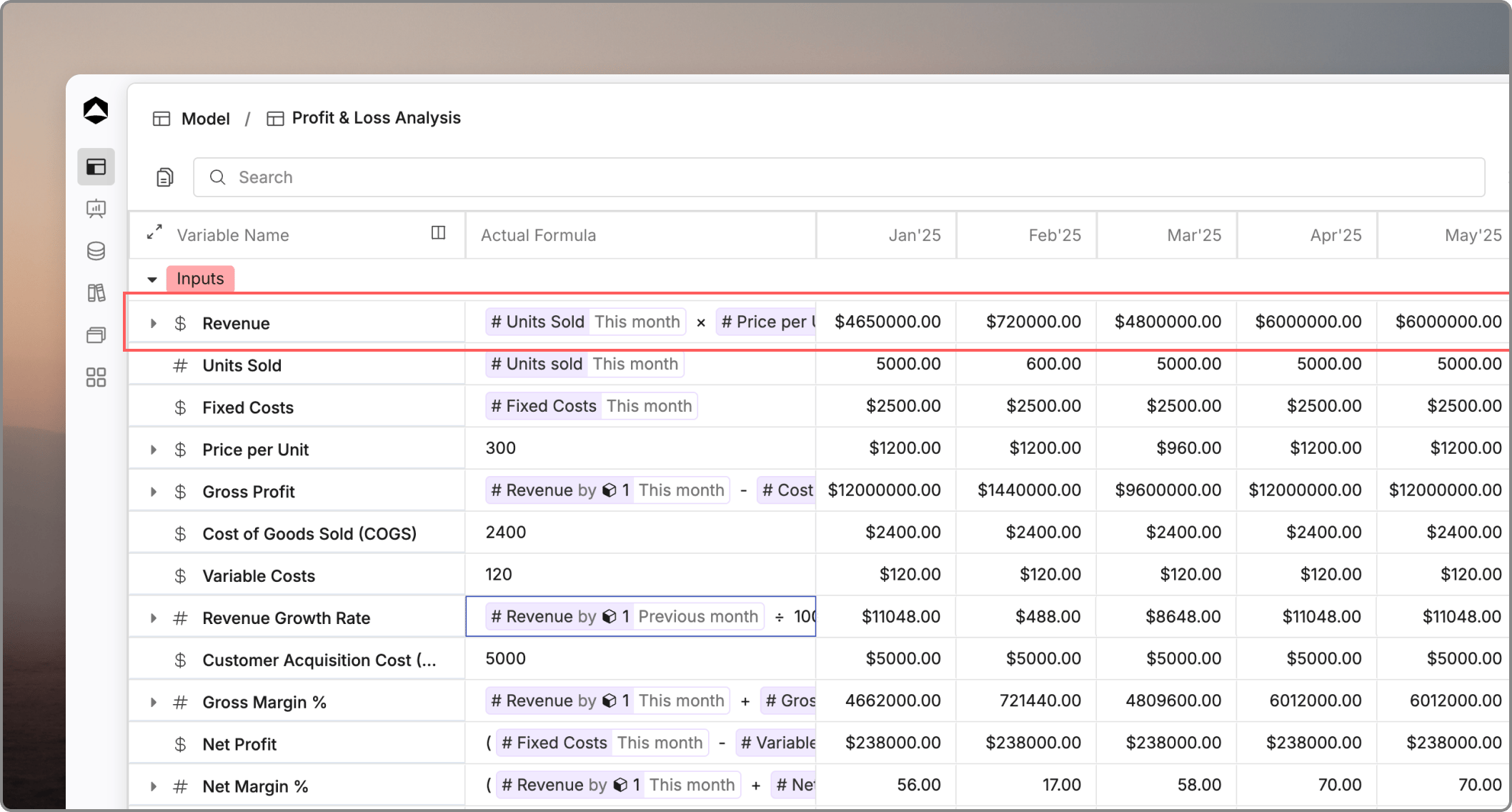
A variable is the basic building block of a model in Oculon. It represents a metric, driver, assumption, or calculated line that you want to track over time.

Where variables are used

You use variables everywhere in model building. They feed formulas, power views and boards, and often connect to data from databases or linked models.

Why variables matter

Variables give your model structure. If you name and organize them well, you make formulas easier to read, reports easier to trust, and changes easier to review.

A simple example

A revenue model might include variables such as Price, Volume, Discount, and Net revenue. Some of those values are entered directly. Others are calculated from the rest.

Parts of a variable

Every variable in Oculon is made up of several properties that together define how it behaves, how it is calculated, and how its values are displayed across time.

Variable type

The variable type determines what kind of data a variable holds and how it is displayed across the model. It controls formatting such as symbol, rounding, and alignment in views and reports.

Variable name

The variable name is the label used to identify it across formulas, views, and reports. A clear, consistent name makes the model easier to read and collaborate on.

Variable breakdown

The variable breakdown defines the dimensionality of a variable, allowing you to slice and dice its data by categories like department, location, or product line. This provides a multi-dimensional view of your metrics beyond a single total value.

Trend

The trend is a visual sparkline shown alongside each variable, giving a quick view of how its values move across time. It helps you spot growth, decline, or seasonality at a glance without reading each period individually.

Actual formula

The actual formula defines how a variable’s historical values are calculated or sourced. It is evaluated for time periods that fall within the actuals range of the model.

Planned formula

The planned formula defines how a variable’s future values are calculated for budgets and forecasts. It is evaluated for time periods that fall beyond the actuals cutoff, into the forecast horizon.

Time values

Each variable holds a value for every period within the model’s time range, typically stored monthly or quarterly. This lets you track performance over time, compare actuals against plan, and analyze trends across the full planning horizon. Values of these are calculated from the formula. Users can click on these time values to override the formula. Overriding cells is often necessary to adjust baseline projections with specific expectations (like a planned one-off expense, a specific sales target, or a contract adjustment) without altering the underlying formula logic for other periods.