

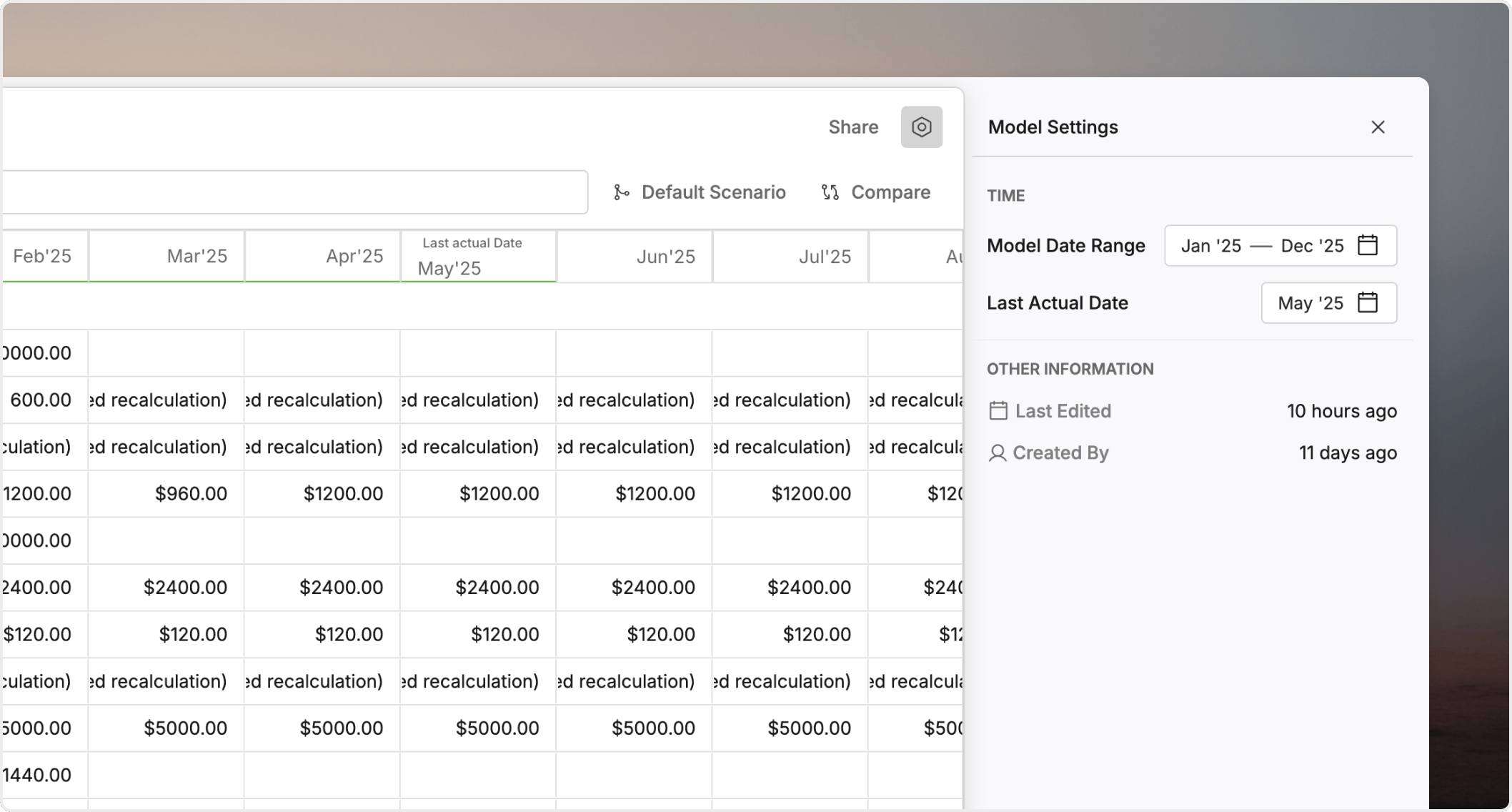
Last actual date is the model setting that tells Oculon where actual behavior ends and planned behavior begins. It is one of the most important controls in any model that combines historicals with forecast logic.
Why it matters
A clear cutoff helps you avoid mixing observed results with forward-looking assumptions. It also gives teams one shared reference point for close, forecast updates, and scenario reviews.How it works
Oculon uses theLast actual date to decide which logic should apply in each period:
- periods up to and including the
Last actual dateshould behave like actuals - periods after that cutoff should follow planned behavior
- variables can use different
actual formulaandplanned formulalogic on each side of the cutoff - boards, views, and comparisons should read that split consistently when they show actual versus plan output
When to update it
You usually update theLast actual date as part of the regular close cycle.
Common triggers include:
- a new month or quarter has closed
- you have refreshed source data and want the newly closed period treated as actuals
- you need to move the cutoff back because a period is not final yet
What happens when you move it forward
When you move theLast actual date forward:
- one more period moves onto the actuals side of the model
- the
actual formulabecomes the active logic for that period - the
planned formulastarts one period later - reports that separate actuals from plan should reflect the new cutoff
What happens when you move it back
When you move theLast actual date back:
- later periods return to planned behavior
- period comparisons can change because the baseline changed
- any close review that depended on the newer cutoff needs to be rechecked
What to review during close
Use this checklist after you update theLast actual date:
- confirm the new period is truly closed
- refresh any source data the model depends on
- review the first period before and after the cutoff
- recheck executive charts and summary tables
- confirm that scenario comparisons still use the intended baseline
FAQ
What if actual data is missing before the last actual date?
Oculon still evaluates the actuals side of the model using the logic you defined there. If theactual formula depends on missing source data, review the result carefully before you publish the model.
Why does a number change when I move the last actual date?
The active logic may have changed. A period that previously used theplanned formula may now use the actual formula, or the other way around.